 Install for VS Code
Rule Evasion
Rules only live in your head
FSD's layer isolation guides are dense. Developers easily forget whether Features can import from Entities, leading to quiet dependency spaghetti.
The Feature-Sliced Design linter that lives in your editor and your Pull Requests. No CI, no config, and no code ever leaves your machine.
Zero-config setup. 100% Local & Private — no code ever leaves your machine.
Maintaining architectural guidelines is notoriously hard. Without automation, guidelines quickly erode under velocity pressure.
FSD's layer isolation guides are dense. Developers easily forget whether Features can import from Entities, leading to quiet dependency spaghetti.
Checking imports line-by-line during PR reviews is exhaustively tedious. Violations slip past reviewers focused purely on business logic.
Configuring ESLint / Steiger rules in CI blocks developer pipelines, takes weeks to approve, and slows down local build performance.
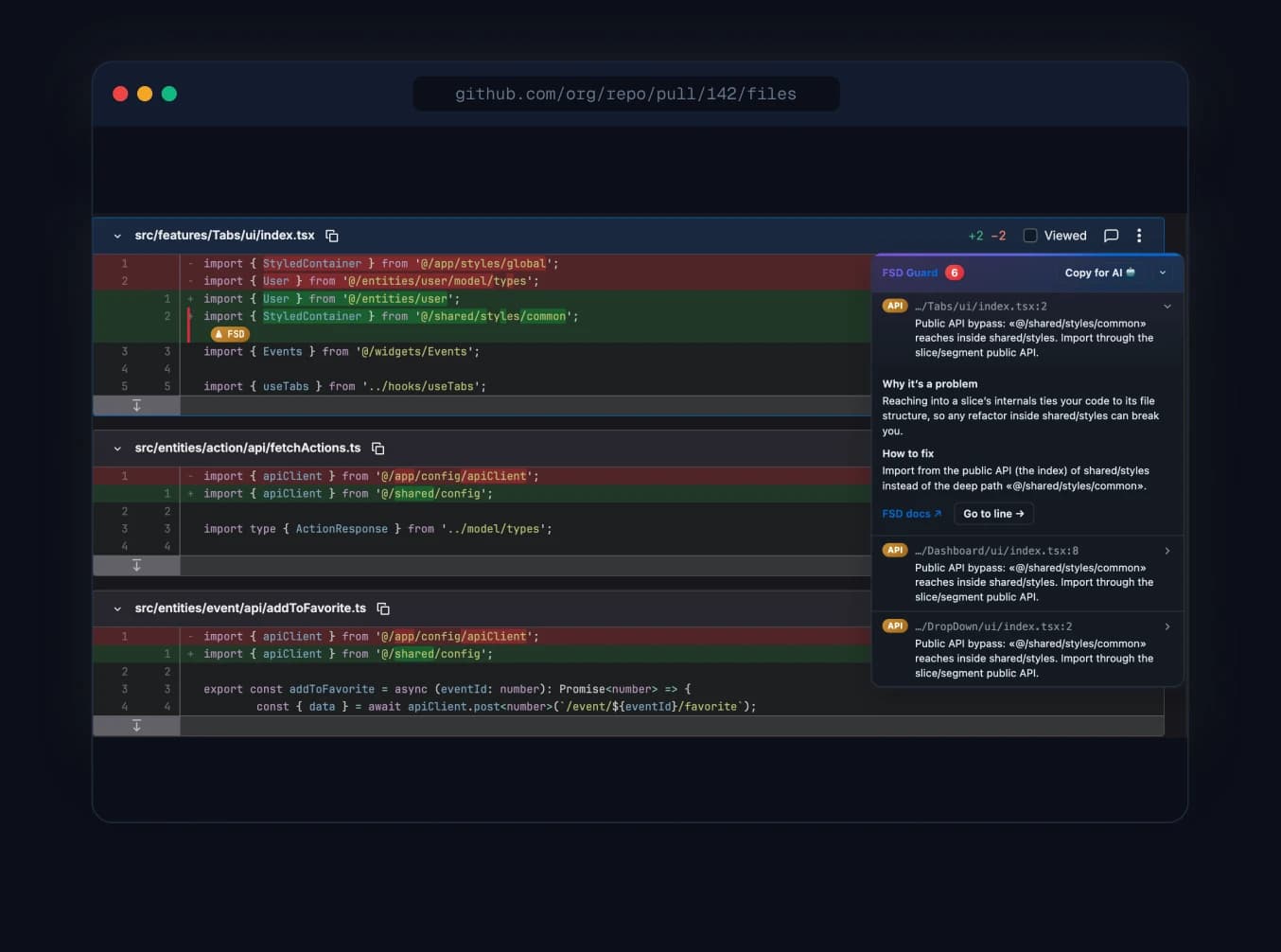
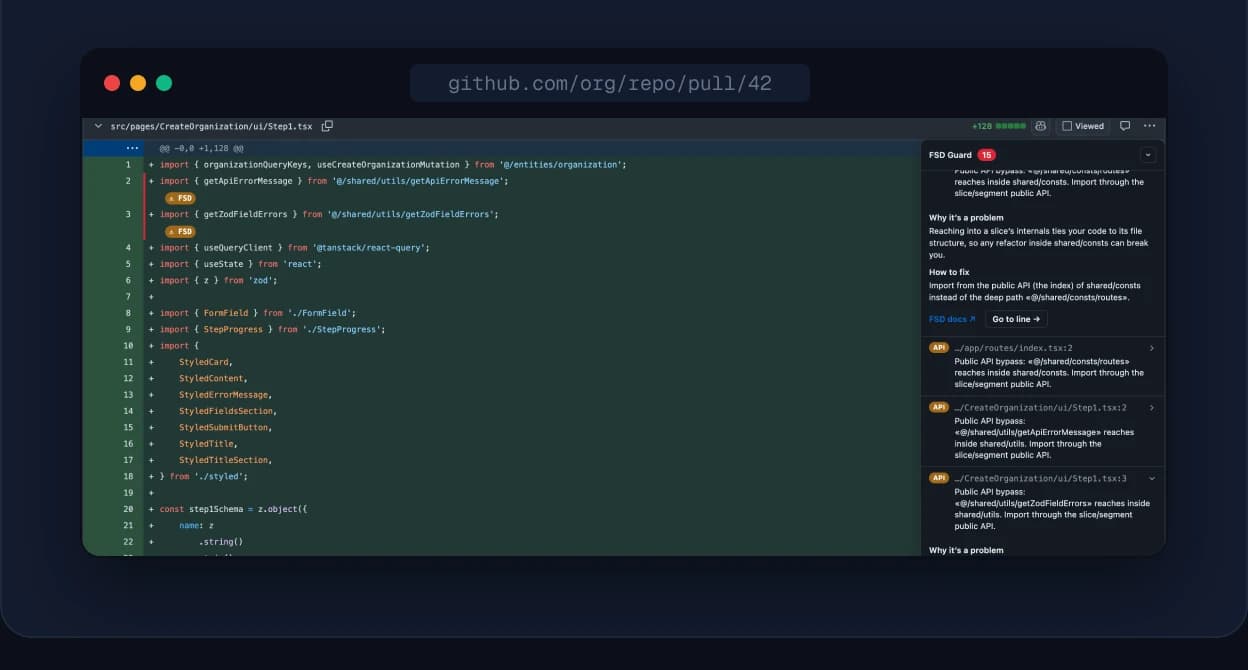
The extension injects warning banners directly beneath offending lines inside GitHub & GitLab diff views. Developers resolve violations before even requesting review.
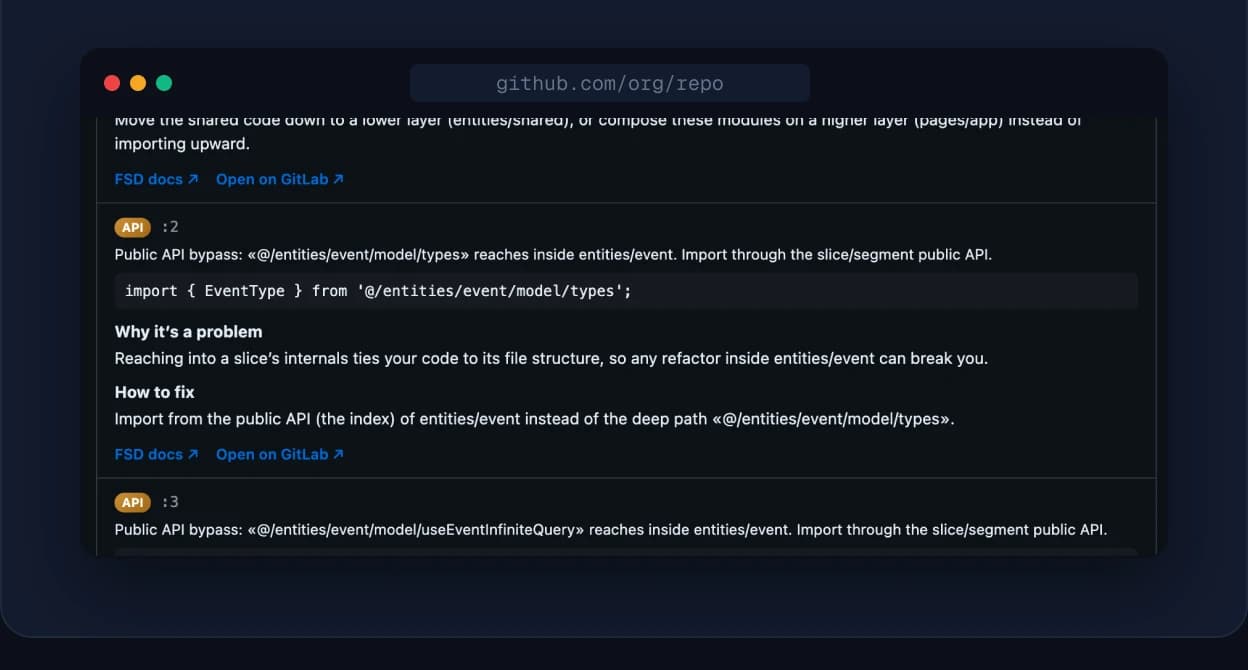
Click the extension icon on any repository to analyze the entire codebase: a report grouped by file, plus an Architecture view with the dependency graph, circular dependencies and a health score.
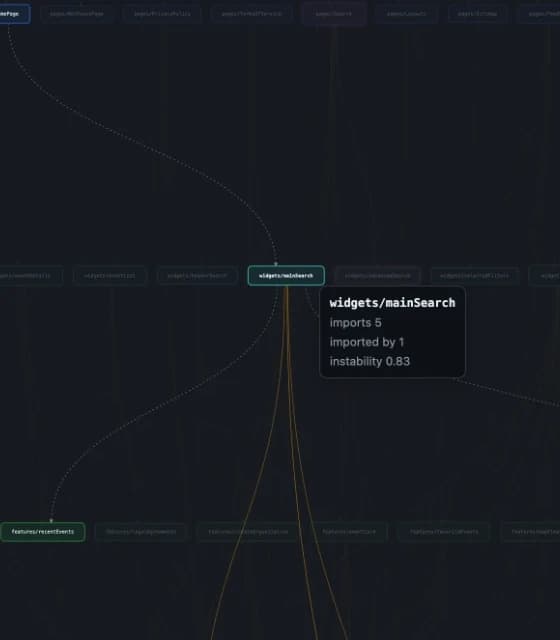
The repository audit now maps every slice, laid out by FSD layer from app down to shared. Edge thickness is the number of imports, node size is how much a module is depended on.
Chrome extension → open any repo → Scan repository → Architecture
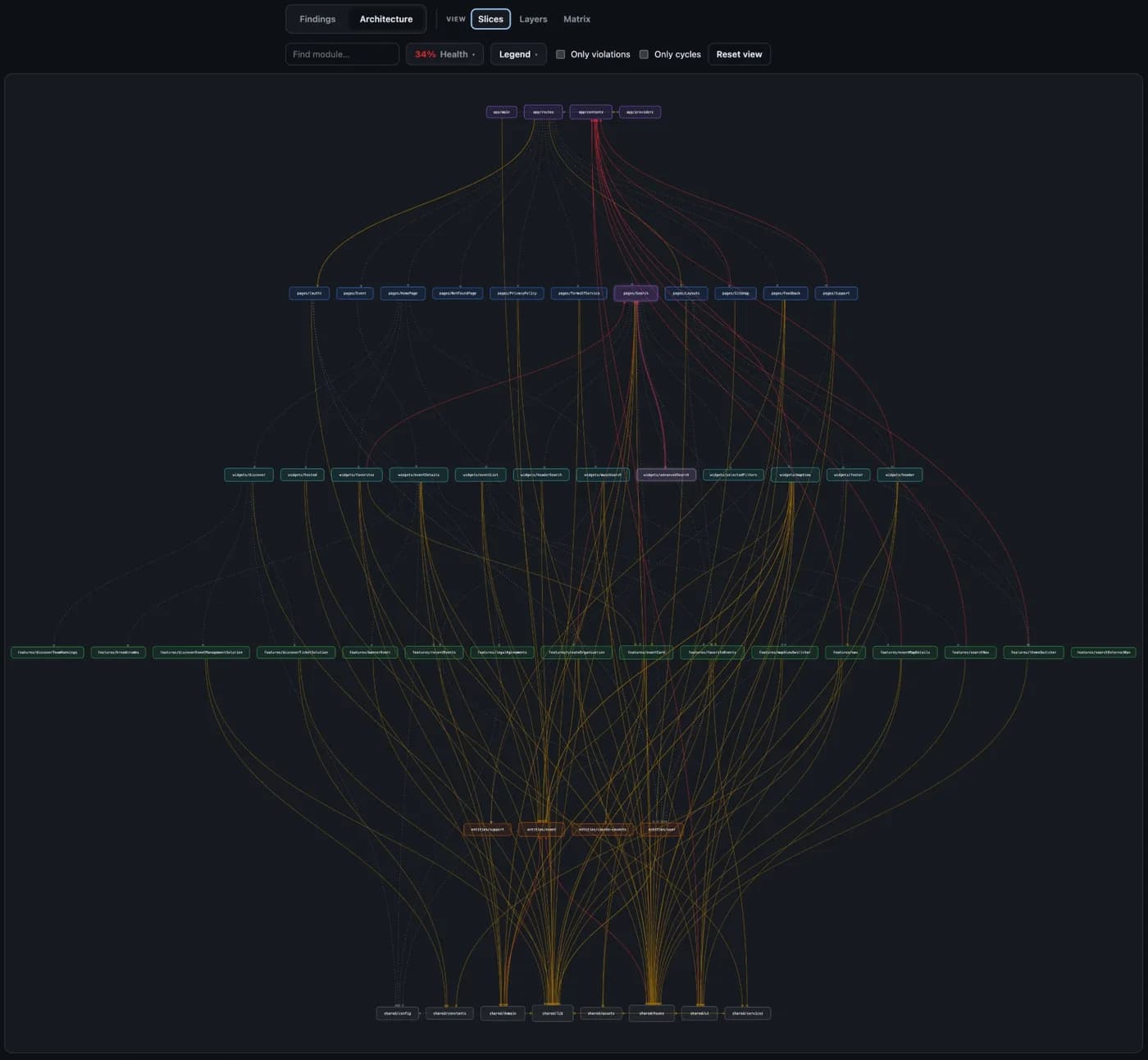
Hover a slice and everything else fades out: who depends on it, what it pulls in, and its instability.
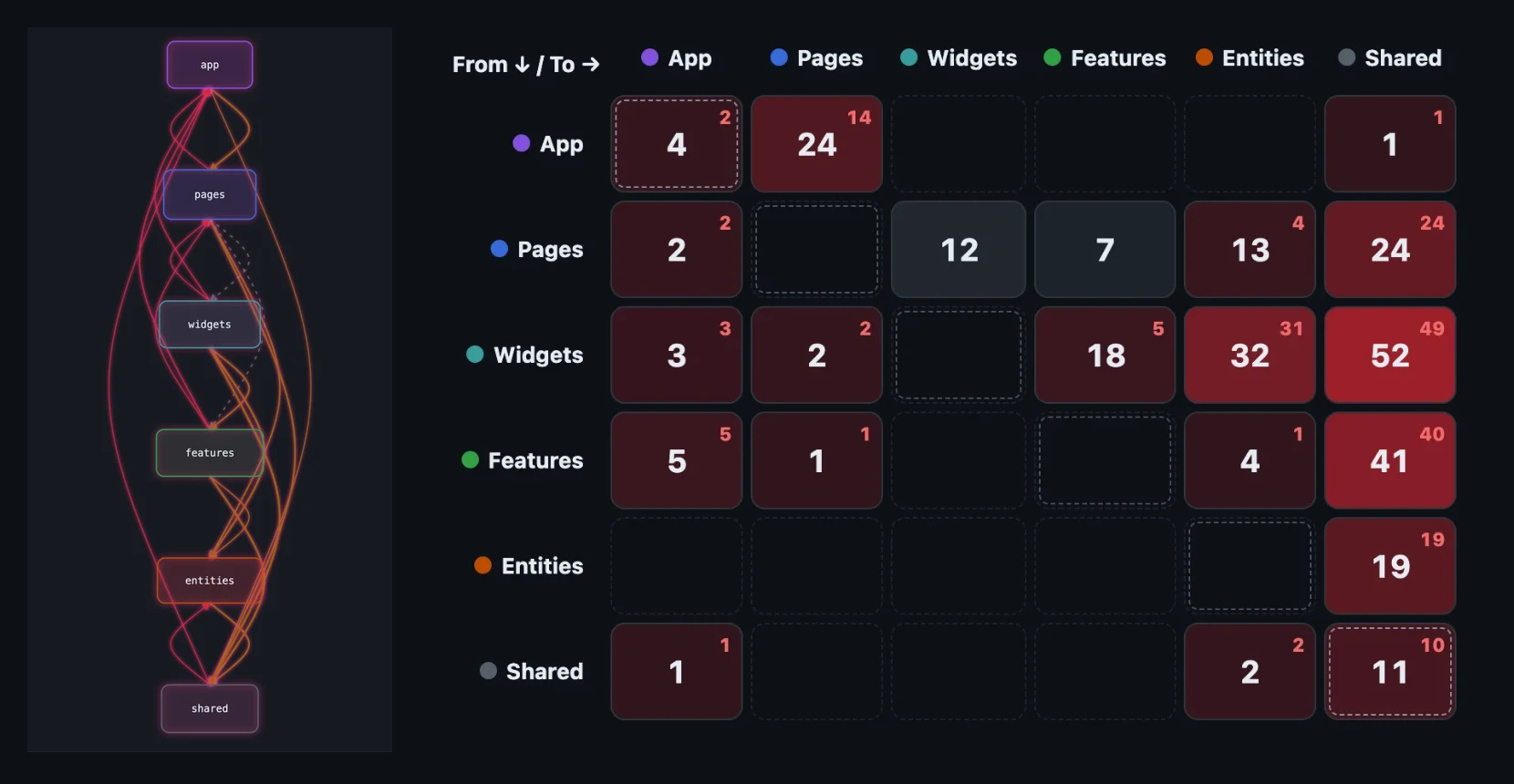
Collapse dozens of slices into six layers, or read the layer-to-layer heatmap — rows import columns, red cells hold violations.
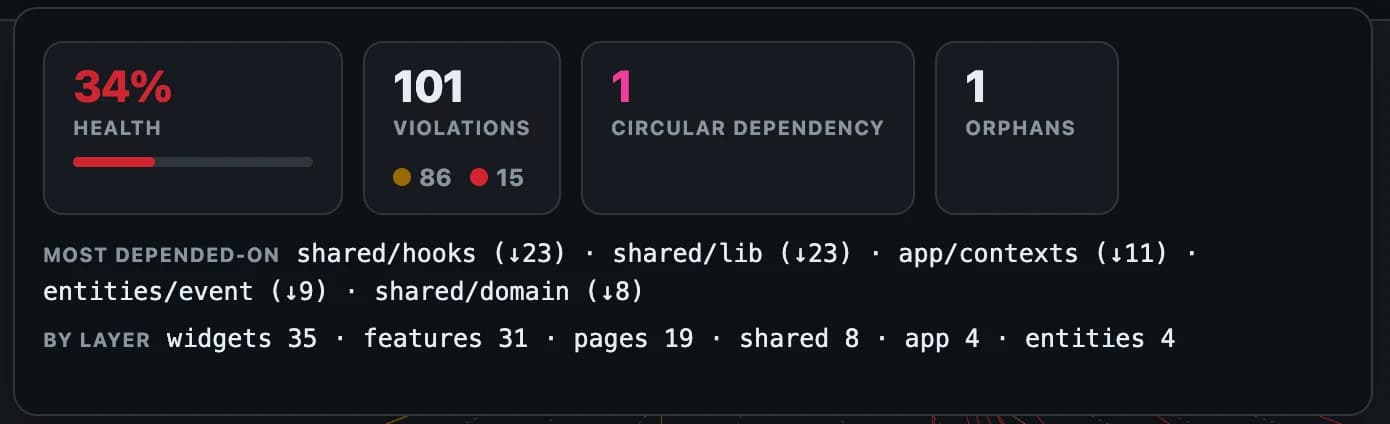
The share of clean edges, violations by type and by layer, circular dependencies, orphans and the most-depended-on modules.
Compare a Pull/Merge Request with its target branch: which violations it introduces and which it fixes.
Quick check of changed lines, or a full compare of both branches.
From a Pull Request check to the full architecture map of your repository.
Zero integrations, zero packages to install. Just extension magic.
Add FSD Guard to your Chromium-based browser in one-click from the Web Store.
Navigate to any GitHub or GitLab Pull/Merge Request. No repo token or API key required.
Offending import lines are marked with clean, actionable architectural warnings.
Violations are illuminated inside standard git diff viewports. Fits smoothly into your routine.
Hover any violation to understand the structural logic behind why FSD restricts the import.
Export violations instantly in an optimized prompt format for ChatGPT, Claude, or Copilot.
Scan any codebase in seconds for a health score, circular dependencies and a layer-by-layer dependency graph — from open source to enterprise.
Fully supports TypeScript, JavaScript, Vue, Svelte, and experimental framework setups.
Uses custom alias rules and layers if your codebase adapts the FSD standard.
We validate your imports against the core pillars of Feature-Sliced Design specifications.
Layers can only import from lower-level layers (e.g. Page → Feature, never vice-versa).
Slices within the same layer cannot import from each other to prevent tight coupling.
Imports must traverse the public API (index.ts) of slices rather than internal files.
Identifies and flags circular references utilizing aliases or internal sub-paths.
Lead engineers delegate architectural audits to the extension, saving cognitive power for business critical functions.
Guide newer engineers through practical FSD structure organically. Feedback arrives inside PR drafts, before reviews.
Evaluate code health instantly when inheriting un-typed projects or reviewing freelance deliveries.
Explore architecture quality inside external open source PRs before integrating libraries into your ecosystem.
FSD Guard processes all validation internally inside your browser context. We operate no cloud analytics servers, collect zero telemetry, and capture no code files. Safe for highly restricted corporate repositories.